Why that matters
A format you own, with any editor on top
The packages hold the project format and its validator, the specs that say what every node does, the preview that runs the app in a page, and the server Claude Code talks to. A large vendor will one day ship a polished editor for AI-built apps, and we won’t beat it on polish. What such an editor is unlikely to give you is one of your own, on a format you own, that depends on nobody’s software. A charity can have an editor shaped for its one app. A school can have one with big blocks and no jargon. A developer can have one that is a table.
An editor like this is a view over the app’s files. The app doesn’t have to change for it to exist. In an app written as plain code, an editor has to be cut into the code. The further that code has gone, the more it costs and the more it can break.
Built so far
Two editors you can open now
Neither Orbit nor the space map is the NodeGX app. Claude Code built each one as a web page. They run on the same engine and project files as NodeGX, with the app running beside its nodes.
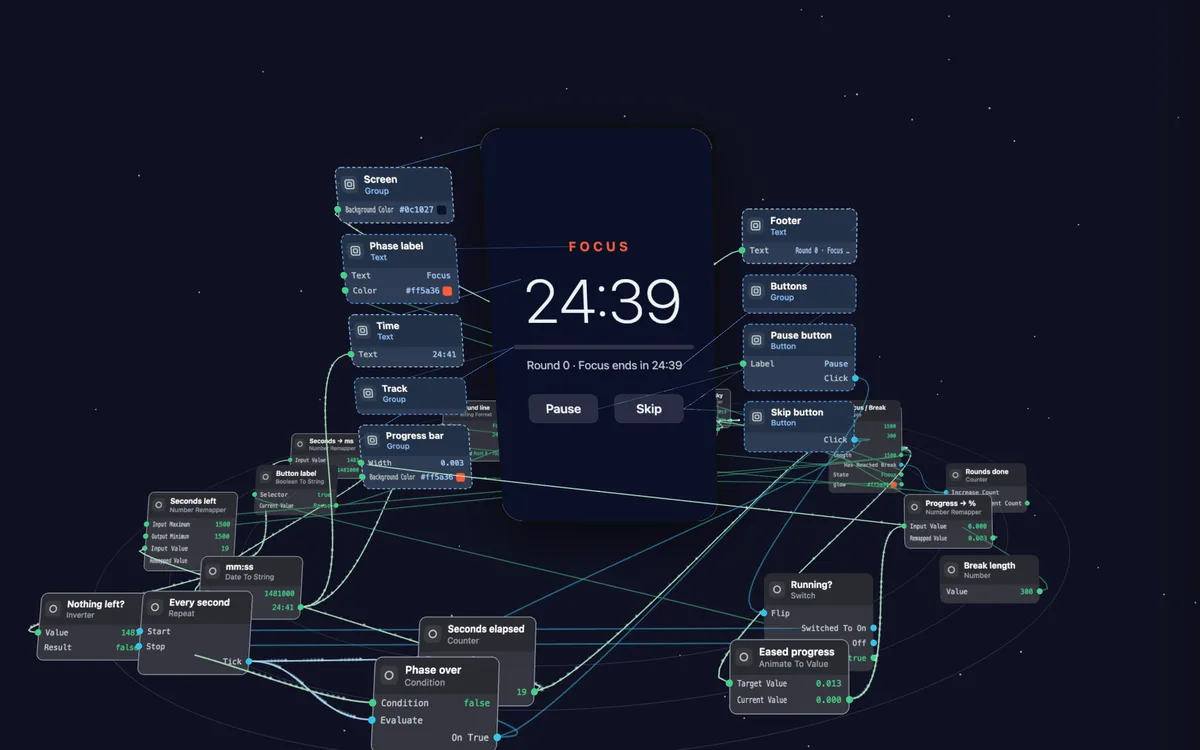
Orbit
Orbit is a focus timer made of NodeGX nodes. A button at the top lifts the nodes into 3D around the running timer.
Press the timer’s buttons, add nodes and drag new wires. Three missions ask you to change how the timer behaves. Press Check and your version runs in a second copy of the app to see whether it works.
Open Orbit →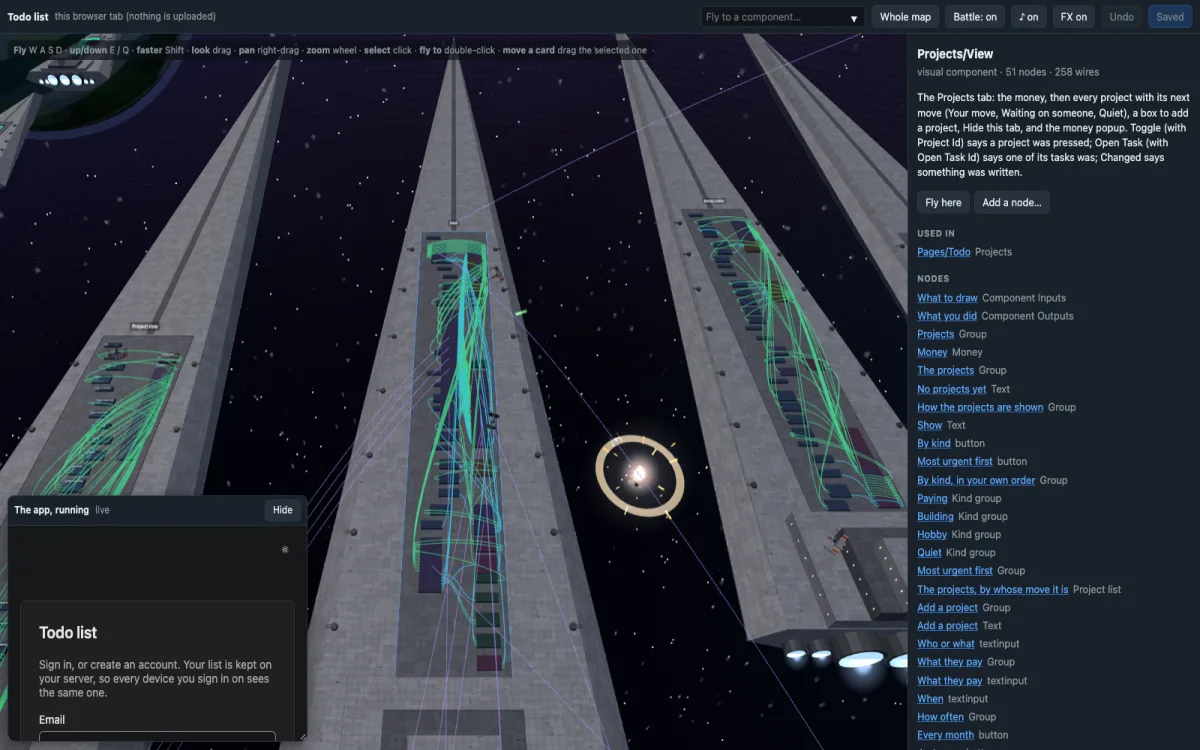
Space map
The space map shows the todo list app as a fleet of 80 ships. Each ship is one of the app’s components, with its nodes as blocks on the deck.
Fly through the fleet and click a block to change or rewire it. Fighters battle around you while you work. Your changes stay in your browser.
Claude Code built it with the NodeGX packages on npm, from a one-line request for a 3D map you can fly through. Richard’s verdict on the fourth round: “job done”.
Open the map →The test
Three strangers, three editors
To find out whether the packages are enough, three separate Claude Code sessions that had never seen our code each got the packages, a short brief and a wish. One built a 3D map. One built a block editor for children. One built a table. Each one opened the real todo app, changed it, and saved it so the official editor opened it unchanged, in about twenty minutes each.
Richard used all three and called the block editor “really cool, really well thought out”, the map “visually impressive”, and the table “Nope”.
The newest experiment
The backend as a map
A NodeGX app’s database, its cloud functions, its rules about who may do what, and its runs, on one canvas. Every table is a card. Every function is a card with its call rule as a lock. Every wire is a real fact read from the running backend: which screen asks for which function, which function reads or writes which table, which person may run what.
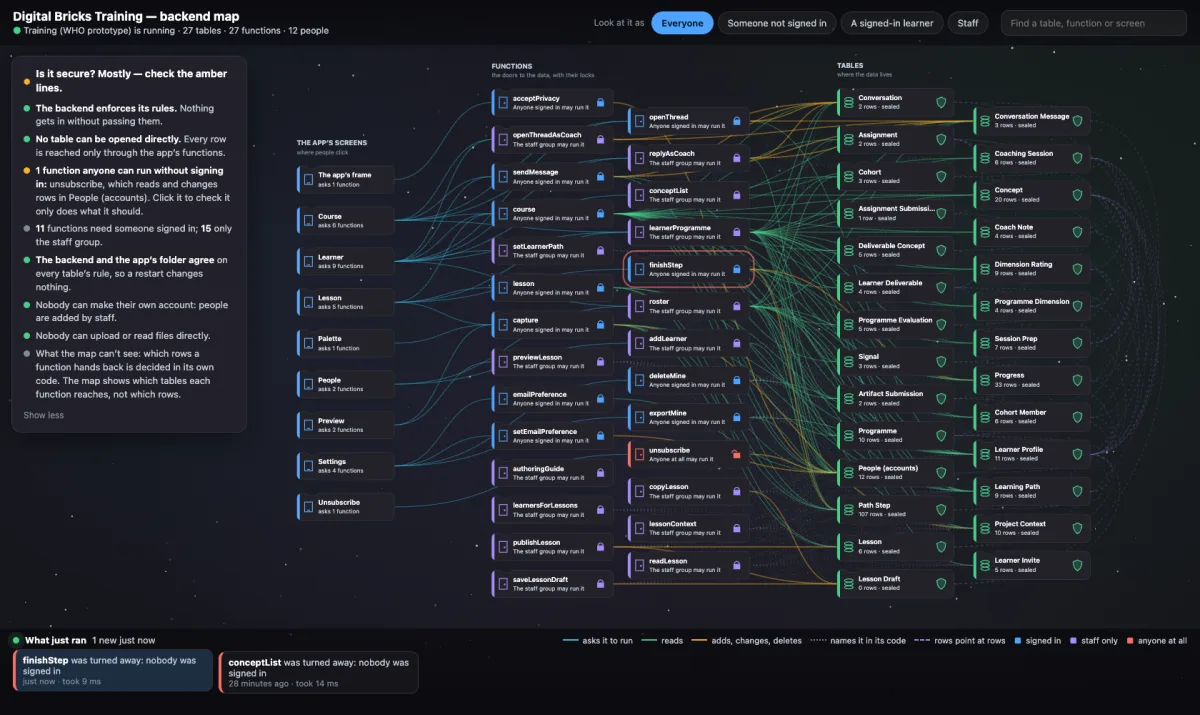
The map, live. A copy of the training app’s backend: its screens, its functions and its tables, with the rules as wires and the security verdict in words.
When the app runs, the facts light up in order. A sentence at the top says, in words, whether the backend is secure and where to look. Choose who may open a table and the map writes the rule to the live backend and to the file in your project, so it survives a restart.
Pick a real person from the database. With that person’s access, the map runs every function they may use that only reads. A table lights up only if rows of it come back to them. In the training app, a new learner reaches 2 of its 289 rows. A member of staff reaches 261. Someone who isn’t signed in reaches none.
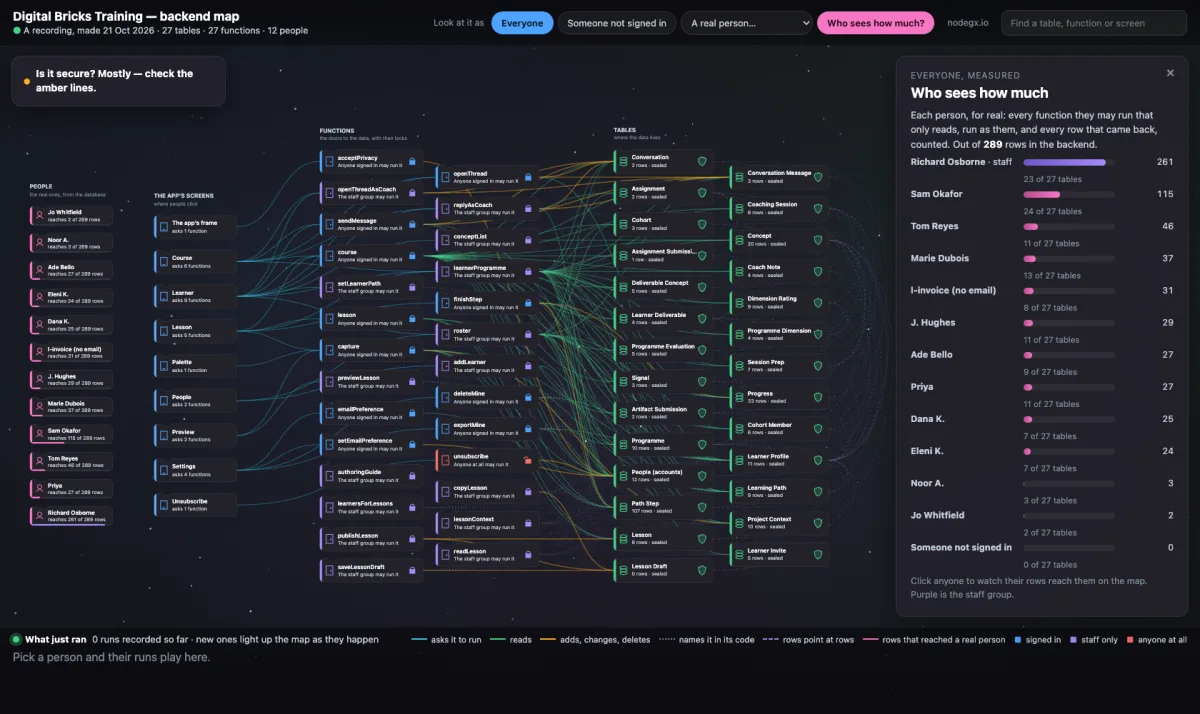
Who sees how much. Each of the twelve people, measured the same way and ranked. The learners are test accounts. The answers come from real runs, recorded on 21 October.
Click a screen to see what that person gets there. Click a table to see its rows, with theirs lit. Click any row to see who else can reach it.
The map on this site is a recording of the training app’s backend, so nothing you do reaches it. It works best on a computer.
Claude Code built the first version from the packages in 22 minutes. Richard’s reaction: “It looks so cool.” The map is the half of the workbench that was missing. A non-coder can see the decisions in the backend, catch what the client did not ask for, and answer where the data is.
Build yours
The packages are on npm
npm create nodegx adds a guide your agent follows to build you an editor. The three
strangers above built theirs from the packages and a short brief.