Play both
Le Gala de danse, built two ways
On the first day, the two look the same. The difference is in how each one is built.
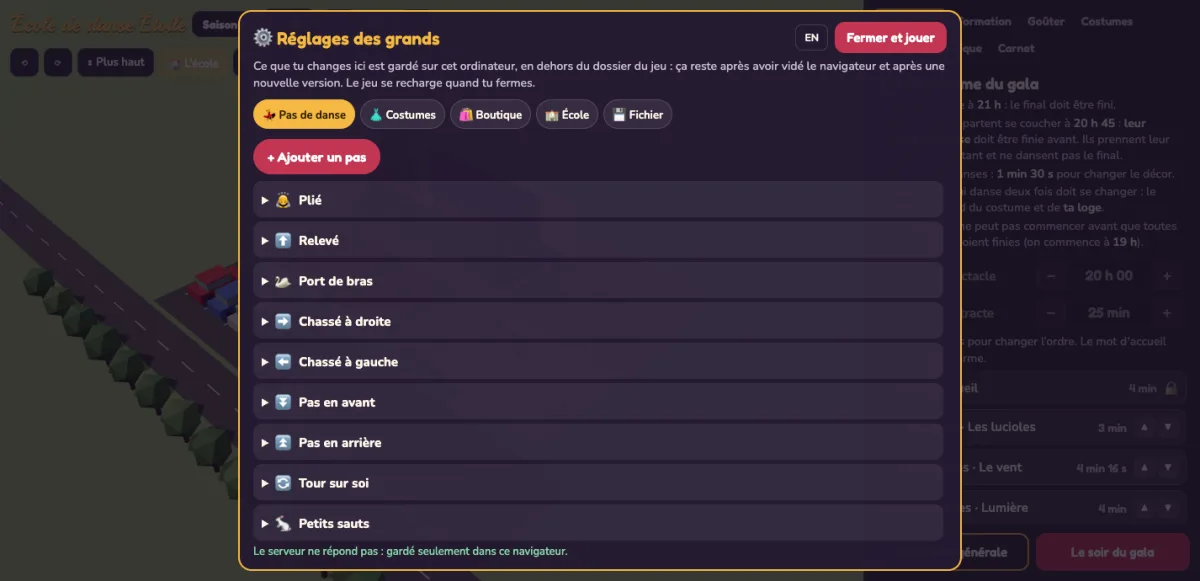
The game kept as code
The original JavaScript, with a settings screen added. To open it, hold the ⚙️ for two seconds and answer a sum.
On this siteYour changes stay in this browser. Downloaded and run on your computer, the game also keeps them in a file beside it.
Play it →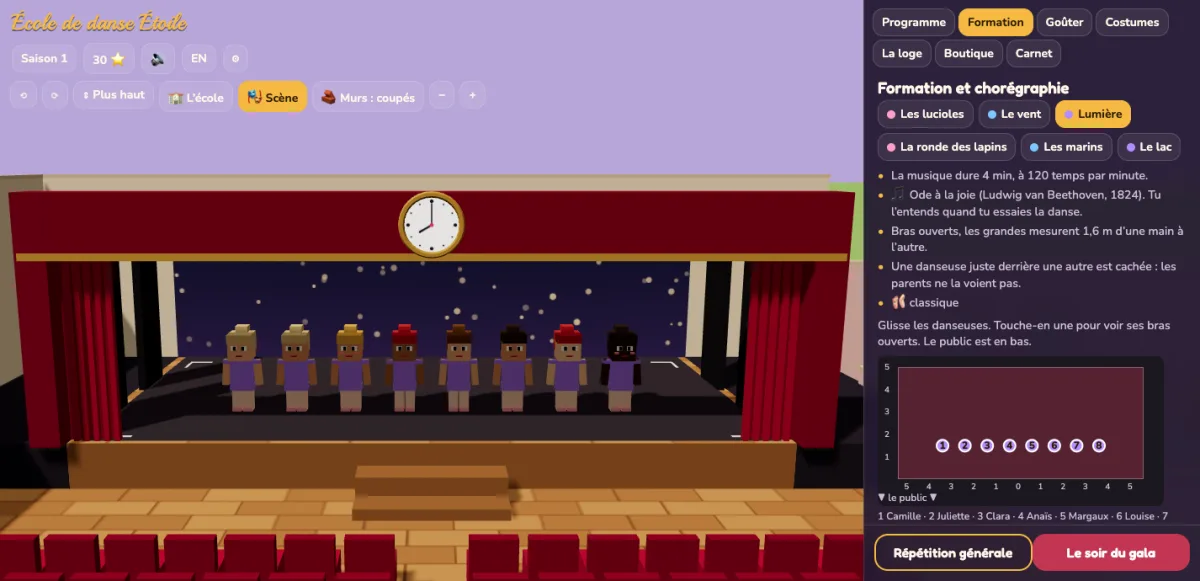
The game converted to NodeGX
Every screen, list and button is now made of NodeGX parts, and so is what the game remembers. The 3D view and the music are still code.
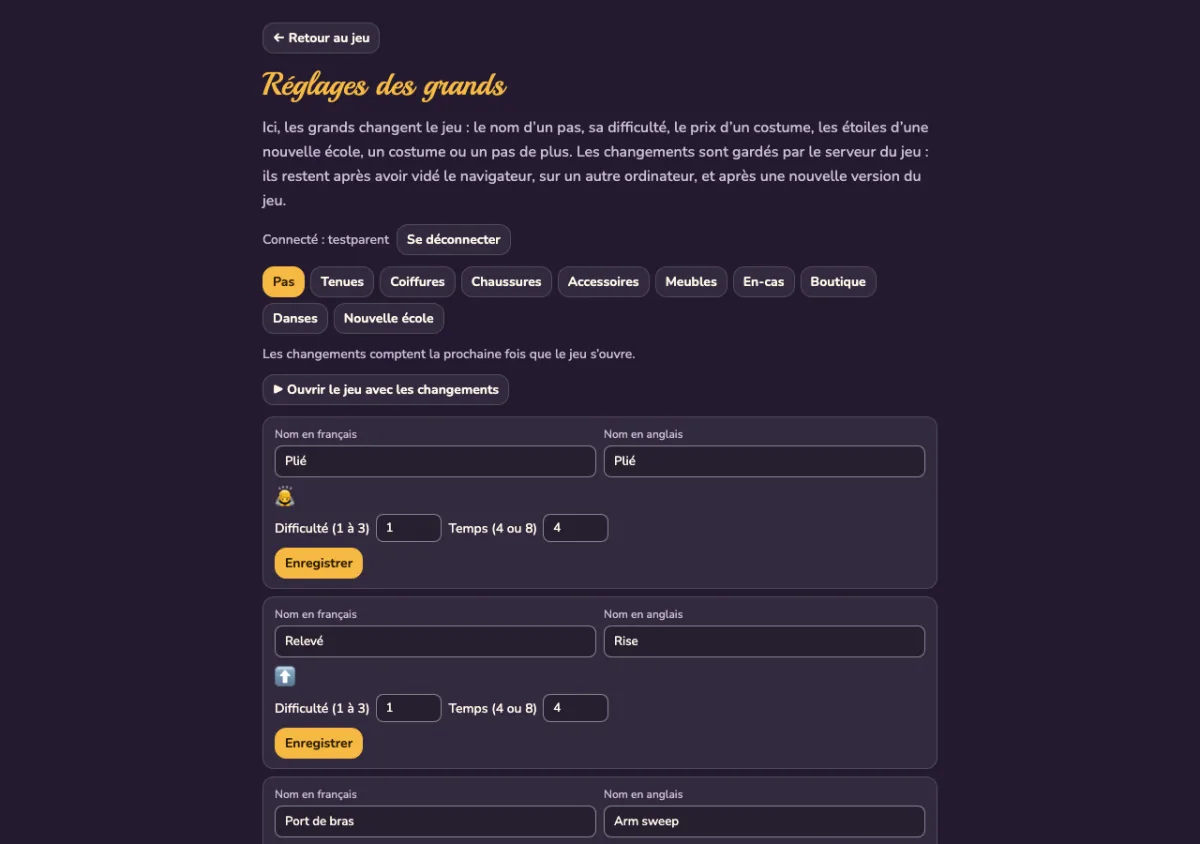
On this siteThe game plays with its built-in settings. The grown-ups’ page needs the game’s own server, which starts when you run the download on your computer.
Play it →The request
What both agents were asked
Each agent got a copy of the game’s code and this paragraph, word for word:
“I want the grown-ups at home to be able to change the game themselves, without asking anyone and without touching code: rename a dance step, change how hard a step is, change what a costume costs, start a new school with more stars, add a new costume or a new step. Their changes must be theirs for good: still there after clearing the browser, on another computer, and after I install the next version of the game. Kids use this game too, so a child who finds the settings mustn’t be able to break the game, put rude words on the screen, or make it do something it was never meant to do.”
The NodeGX agent was also told what converting means. Every screen and everything the game remembers had to be made of NodeGX parts. Code was allowed only where no part can do the job. It had to keep a log as it worked.
We added that rule after a first try. Told only to rebuild the game as a NodeGX app, an agent put the whole old game inside one NodeGX page. NodeGX didn’t stop it. Refusing that is now on our list.
Underneath
Where each part of the game lives
| Kept as code | Converted to NodeGX | |
|---|---|---|
| The screens | 752 lines of JavaScript that write each screen as text | 54 components and 762 nodes, which open in the NodeGX editor |
| The words, in French and English | a file of code | a table of 389 rows |
| A button press | code that changes the game’s data where the button is drawn | a named message sent to one part that handles every press, so the graph shows what each button does |
| The grown-ups’ changes | a file beside the game, written by a small server on your computer | rows in the game’s own database |
| Who may change them | anyone who answers the sum, checked by the page | the first account made on the settings page, checked by the server |
| The rules, the 3D view and the music | code | the same code |
| The build | 51 minutes, $7.73 | 70 minutes, $34.90 |
The costs are what each agent’s work would cost at Claude’s published prices.
The conversion
How the agent did it, in its own words
Before converting anything, the NodeGX agent built a throw-away page to test what its plan relied on. Could NodeGX run the game’s rules? Could it hold the 3D view? Could the 3D view send what happens on stage back to the screens? All of it worked.
Then it went part by part. A small script copied the rules across. A check showed they play the same evening as before. The words became a table. Each card, chip and shop row became a NodeGX component, drawn once for every row. The screens’ code split in two. Small functions now decide what each screen shows. NodeGX parts draw it.
Its summary of the hard part:
“ui.js is 752 dense lines; as nodes it is 54 components and 762 nodes.”
Most of its mistakes were refused by NodeGX, which said what to fix. The log keeps each one, with what it tried and what it did next.
What it cost
Converting took longer and lost a few things
The conversion cost four and a half times as much as adding the feature in code. The code didn’t get smaller either. The old screens were 1,186 lines. They’re now 762 nodes plus 1,257 lines of code. That code decides what each screen shows and what each press does.
Some features were lost: dragging the programme’s cards (the arrows still work), the ruler, the large stage plan, bold words inside sentences and the layout for narrow screens. On the results screen, some dance names now break in the middle.
The agent also found a fault in NodeGX. Its database started with its access rules switched off, so a child’s account could write straight into it. The agent found this by trying it, and switched the rules on. Three agents have now hit this fault. It’s on our list to fix.
Why convert
What you can still do with it later
An app built with NodeGX looks like one built without it on the first day. The difference shows later, in what you can do with the app. Here are three things, starting with the one we can show most of today.
- You can have an editor made for your app. A NodeGX app is a graph of parts, saved in a format a program can read. So an agent can build an editor for one app and the people who use it, without rewriting the app. Claude Code has built a 3D editor, a children’s block editor and a map of a backend this way. See them.
-
What we’ve learnt goes into your project from the start.
npm create nodegxsets up a project with a note for your agent and a skill for building editors. We’re adding more of what we know about building apps with AI. - You can leave for code. Export to React is in alpha. Before it writes anything, it lists what it can’t carry yet. Swift comes after React.
For this game, the next test is that later. Both versions go to a new agent with what a client asks for a month in: an editor for one part of the game, a page only some people can see, and a changed rule. We’ll publish the time, the cost and what broke.
Run them yourself
Download both projects
Both need Node.js. For the code version, run npm start in its folder. For the NodeGX
version, run npx @nodegx/preview app --open in its folder, which also starts its database.
The NodeGX download holds the agent’s log and the original code it converted.